Tips to buy a Laptop - Top 3 Laptops in your budget in 2021

1. A smaller screen means better portability. Most laptops come in screen sizes that range from 11 to 17 inches. The entire system is sized to fit the display. That means smaller notebooks are lighter and more compact, and larger ones are bulkier. If you don't move the laptop much, a 15-inch model is fine. But if you plan to use the laptop on your lap or carry it around, a model with a 13- or 14-inch screen, like the Dell XPS 13, may provide the best balance between screen space and portability. Children under 12 will find it easier to handle a model with an 11.6- or 12.5-inch display. Get a 17-inch laptop only if it's going to stay on your desk.
2. Get a resolution of at least 1080p. If you can afford one (and they are available even for under $400), get a laptop with at least a 1920 x 1080 screen resolution, which is sometimes referred to as 1080 or "full HD" resolution. That number of pixels makes it easier to read web pages without scrolling and to stack two windows side by side for multitasking.
3. Choose a laptop with at least 8 hours of battery life. If you plan to spend any time away from an outlet — even if that time is spent sitting on a bed or couch at home — look for a laptop that offers more than 8 hours of battery life. A great example of a long-lasting laptop at a reasonable price is the Asus ZenBook UX330UA, which lasts for 9 hours on a charge. Because they require so much power, gaming laptops are an exception to this rule.
4. Chromebooks are good for kids, but Windows or macOS is better for everyone else. Laptops that run Google's Chrome OS are popular with schools because they are easy for children to use and hard for them to infect with malware. The best Chromebook for the money right now is the Asus Chromebook Flip C302CA. However, for most people, either a Windows 10 laptop or a MacBook will provide more functionality. If you're trying to decide between Windows and macOS, note that Windows gives you a lot more affordable options, including laptops with touch screens, while MacBooks tend to offer stronger security and better included software for editing photos and videos.
5. Get a 2-in-1 only if you need a touch screen. Many laptops today are 2-in-1s, which can switch between clamshell and tablet modes. These systems, like the Lenovo Yoga 920, are great if you really plan to use a touch screen, but you can usually get a better laptop for the money if you go with a traditional clamshell-style laptop. Clamshells with touch screens usually cost more and have less battery life than configurations with nontouch displays.
6th and very Important.
6. Key specs: Core i5, 8GB of RAM, 256GB SSD. If you're spending over INR50,000 on a laptop, the minimum specs you should get include an Intel Core i5 processor (Intel Core i7 or AMD Ryzen 5 or 7 are also good), 8GB of RAM, a 256GB solid-state drive (SSD) and a 1080p screen. It's particularly important to get an SSD rather than a hard drive, because a solid-state drive makes all of your programs load faster. CPU speed should be more than 2.5 GHz.
7. Camera (Built in): HD 720p Camera with Fixed Focus | Privacy Shutter | Integrated Dual Array Microphone
And there are many more specs but they are common in almost all Laptops.

Top 5 Wireless Earphones we had short listed for you.
I Have Short Listed few Laptop With in the range of 40000 to 80000 INR.
- Processor: 11th Gen Intel Core i5-1135G7 | Speed: 2.4 GHz (Base) - 4.2 GHz (Max) | 4 Cores | 8MB Cache
- OS: Pre-Loaded Windows 10 Home with Lifetime Validity
- Pre-Installed: MS Office Home and Student 2019
- Memory and Storage: 8GB RAM DDR4-3200 | 512 GB SSD
- Graphics: Integrated Intel Iris Xe Graphics
- Display: 14" Full HD (1920x1080) | Brightness: 250 nits | 45% NTSC Colour Gamut | IPS Technology
- Design: Touchscreen | 1.79 cm Thin and 1.5 kg Light | 4-sided Narrow Bezels | Backlit Keyboard | Fingerprint Reader
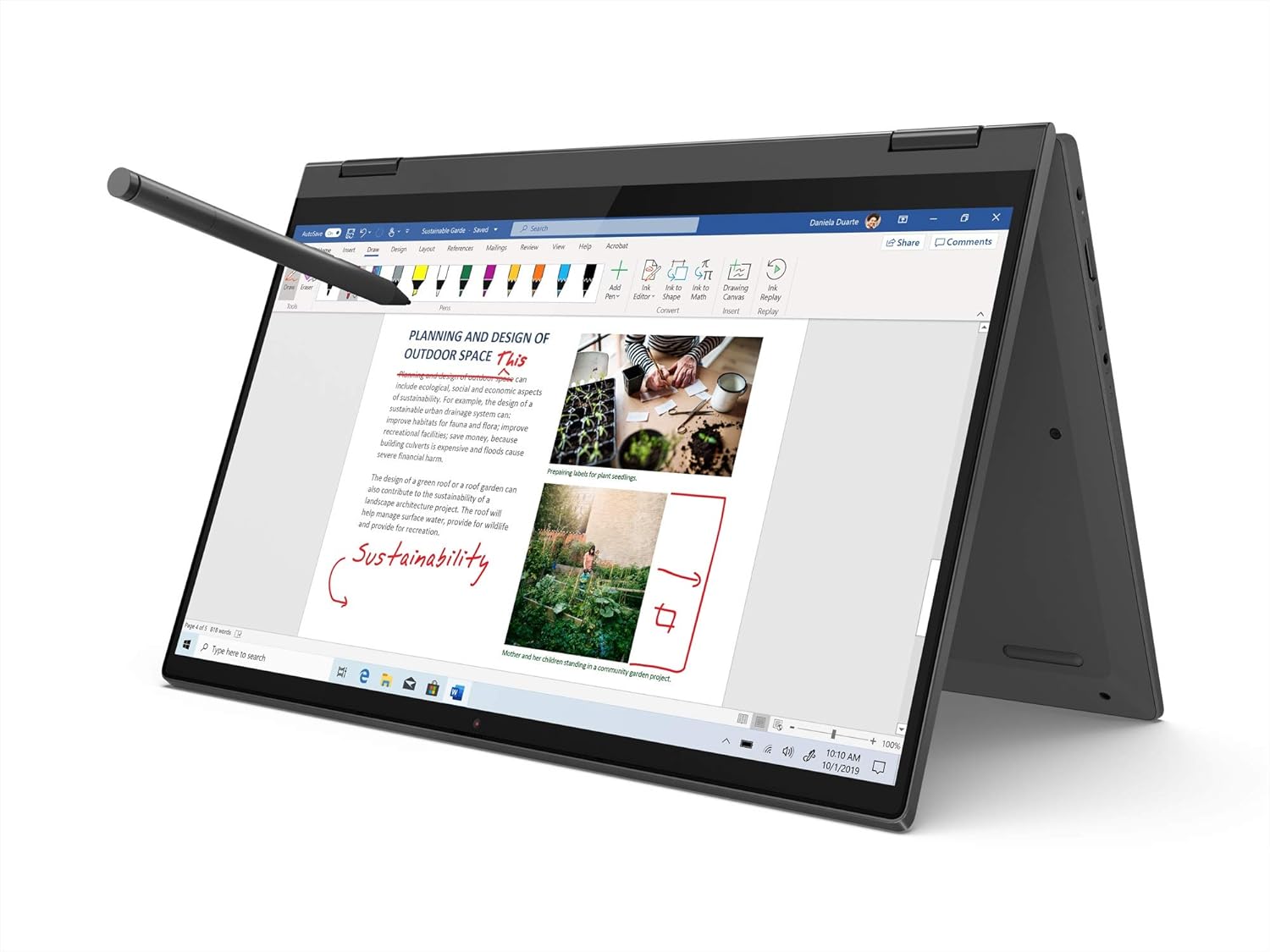
BUY NOW
2. MI Notebook 14 (IC) Intel Core i5-10210U 10th Gen Thin and Light Laptop(8GB/512GB SSD/Windows 10/Intel UHD Graphics/Silver/1.5Kg), XMA1901-FK
- laptop processor: 10th gen intel core i5-10210u processor, 1.6 ghz base speed, 4.2 ghz max speed, 4 cores, 8 threads
- operating system in the laptop: windows 10 home operating system | pre-installed software : office 365 – one month trial subscription
- laptop display: 14-inch (1920x 1080 )full hd anti-glare screen, intel uhd graphics
- memory specs (laptop): 8gb ddr4-2666mhz ram and storage: 512 gb ssd
- design and battery of laptop: robust metal body | thin and light laptop| laptop weight 1.5kg | battery life: up to 10 hours | in built 720p webcam
- laptop audio: stereo speakers + dts audio processing | ports: usb 3.1 – 2 ports, usb 2.0 – 1 port, hdmi out -1 and 3.5mm jack
- inside the laptop box: notebook, power adapter, power cord, user manual
- Display size: 14.0 inches

Click Here To View on amazon
3. Dell Vostro 3405 14" FHD AG Display Laptop (Ryzen-5 3500U / 8GB / 512 SSD / Vega Graphics / Win 10 + Office H&S/ Dune) D552122WIN9DE
- Processor: AMD Ryzen 5 3500U Mobile Processor with Radeon Vega 8 Graphics
- Memory & Storage:8GB RAM |512GB M.2 PCIe NVMe Solid State Drive
- Display:14.0-inch FHD (1920 x 1080) Anti-glare LED Backlight Narrow Border WVA Display
- Graphics: Integrated graphics with AMD APU AMD Radeon Vega 8 Graphics
- Operating System & Software: Windows 10 Home Single Language | Microsoft Office Home and Student 2019
- I/O ports: Two USB 3.2 Gen-1,One USB 2.0,One RJ45,One SD card slot ,One HDMI 1.4 port

Comments
Post a Comment